Mobile Cruise Booking Steps for First-Timers in 2026

TL;DR:
- Mobile cruise booking allows travelers to research, reserve, and manage their vacation using a smartphone or tablet efficiently.
- Following clear steps, like early document preparation and timely check-in, helps first-time cruisers avoid common mistakes and arrive confident.
Mobile cruise booking is the process of using a smartphone or tablet to research, reserve, and manage a cruise vacation from start to finish. For first-time cruisers, following clear mobile cruise booking steps removes the guesswork and puts every confirmation, boarding pass, and dining reservation in one place. Platforms like ChooseCruise make this process faster by combining AI-powered recommendations with real-time price tracking in a mobile-friendly interface. This guide walks you through every stage, from setting up your account to boarding the ship, so you arrive confident and prepared.
What do you need before booking a cruise on mobile?
The right preparation cuts your booking time in half. Before you open any cruise app, gather these items:
- A smartphone or tablet running a current operating system (iOS 16+ or Android 12+ covers most cruise apps)
- A stable internet connection, either home WiFi or a reliable cellular plan
- A valid passport or government-issued ID, scanned or photographed in advance
- A credit or debit card for the deposit and final payment
- An email address for booking confirmations and account registration
Account setup is the first real step. Create a profile on ChooseCruise or your chosen cruise line’s app before you search for sailings. Cruise line apps have limited functionality before booking confirmation, meaning major planning features only unlock after your reservation is validated. Download the app early, but expect the full experience only once you have a booking number in hand.
Timing matters more than most first-timers realize. Final payment for most cruise bookings is required 90 days before sailing, with deposits varying by cabin category and cruise length. Knowing this upfront lets you plan your budget in installments rather than scrambling for a lump sum close to departure.
Pro Tip: Scan your passport and travel documents into a secure cloud folder like Google Drive or iCloud before you start. Many cruise apps let you upload photos directly during check-in, and having them ready saves significant time.
Step-by-step guide to booking a cruise using mobile apps
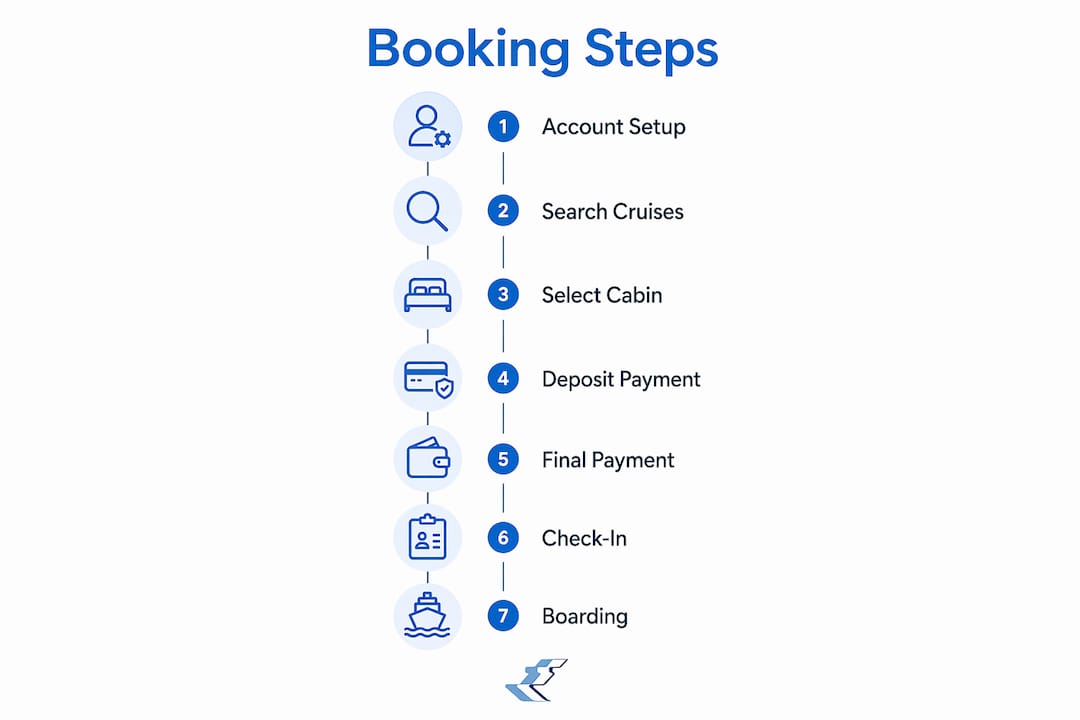
The actual reservation process follows a clear sequence. Work through these steps in order and you will avoid the most common first-timer mistakes.
- Search and filter sailings. Open ChooseCruise or your cruise line’s app and enter your travel dates, departure port, and destination region. Use filters for cruise length, ship size, and price range to narrow results quickly.
- Compare itineraries. Review port stops, sea days, and total sailing time. A 7-night Caribbean sailing with four ports gives a very different experience than a 7-night sailing with two ports and five sea days.
- Select your cabin category. Interior cabins are the most affordable. Oceanview cabins add a window. Balcony cabins cost more but give private outdoor space. Suites include premium perks. Choose based on how much time you plan to spend in the room.
- Choose dining options. Most cruise lines offer traditional fixed-time dining or flexible “My Time” dining. Select your preference during booking. Specialty restaurant reservations can be added later through the app.
- Pay your deposit. Enter your payment details and confirm the deposit amount. The app will generate a booking confirmation number immediately.
- Schedule your final balance payment. Set a calendar reminder for the 90-day deadline. Many apps allow automatic payment scheduling so the balance clears without manual action.
- Access your booking documents. Your e-ticket, cabin assignment, and itinerary appear in the app within minutes of confirmation.
The table below shows the key milestones and their timing:
| Booking milestone | When it happens |
|---|---|
| Deposit payment | At time of booking |
| Final balance due | 90 days before sailing |
| Online check-in opens | 45 days before sailing |
| Document upload deadline | 2–3 days before sailing |
| Boarding pass available | After check-in is complete |
Pro Tip: Screenshot your booking confirmation the moment it appears. If a payment error occurs or the app crashes mid-booking, a timestamped screenshot gives guest services everything they need to resolve the issue fast.
How do you manage your cruise booking and check-in on mobile?
Managing your booking after the initial reservation is where the cruise app becomes your primary tool. Most major cruise lines open mobile check-in about 45 days before sailing, which is when you can select your boarding time and qualify for Express Boarding at select ports. Opening the app on day one of that window gives you the best boarding time slots before they fill up.
The check-in process itself involves several uploads:
- A clear headshot photo taken against a plain background
- Your passport or ID details entered manually or via photo scan
- A credit card linked to your onboard account for purchases
- Emergency contact information
Completing your online check-in 2 to 3 days before sailing lets you move through the port quickly and skip the manual paperwork lines. Skipping this step means slower boarding and a longer wait at the terminal desk.
Once onboard, the cruise app controls your daily schedule. Use it to book specialty dining, reserve show times, sign up for shore excursions, and check daily activity schedules. Connecting to ship WiFi immediately upon boarding and opening the app to lock in dining and show reservations is critical because popular slots fill within minutes. This “5-minute rule” is the difference between getting the dinner time you want and settling for whatever remains.
Pro Tip: Force-restart your phone and close all background apps before opening the cruise app on embarkation day. Social media apps running in the background cause slow load times and crashes at exactly the wrong moment.
Tips for booking shore excursions and additional services via mobile
Shore excursions are one of the most satisfying parts of a cruise, and how you book them affects both your wallet and your peace of mind. The core trade-off is straightforward: booking through the cruise line app costs more but protects you, while booking independently saves money but carries real risk.
Cruise line excursions are 30–50% more expensive than independent tours. That premium buys one critical guarantee: if the ship-sponsored excursion runs late, the ship waits for you. Book independently and miss the ship’s departure, and you are responsible for catching up at the next port at your own expense.
| Booking method | Cost | Ship-wait guarantee | Best for |
|---|---|---|---|
| Cruise line app | Higher (30–50% premium) | Yes | Complex ports, first-timers |
| Independent operator | Lower | No | Simple ports, experienced travelers |
For ports with complex logistics, unfamiliar transportation, or tight turnaround times, booking through the cruise app is the safer choice. For straightforward ports where the beach or town center is a short walk from the pier, an independent booking saves real money with minimal risk.
When booking excursions via mobile, always confirm the meeting point and return time before completing payment. Save a screenshot of the excursion confirmation, including the tour operator name and departure time. If a desired excursion shows as fully booked, retry after 10 PM when cancellations free up slots.
The cruise line app is now central to boarding passes, scheduling, and onboard communications. Treating it as your primary planning tool rather than an afterthought puts you ahead of most first-time cruisers.
Key takeaways
Following a clear sequence of mobile cruise booking steps, from account setup through check-in and excursion booking, gives first-time cruisers full control of their vacation before they ever step onboard.
| Point | Details |
|---|---|
| Prepare documents early | Scan your passport and ID before booking to speed up check-in uploads. |
| Know payment deadlines | Final balance is due 90 days before sailing; set a reminder at booking. |
| Check in at 45 days | Mobile check-in opens 45 days out; early action secures better boarding times. |
| Use the 5-minute rule | Connect to ship WiFi immediately and book dining and shows before slots fill. |
| Screenshot everything | Capture confirmations and errors with timestamps to resolve issues quickly. |
Why I think most first-timers underestimate the app
First-time cruisers spend weeks researching ships and itineraries, then treat the cruise app as an afterthought they will figure out onboard. That is the single biggest mistake I see, and it costs people real enjoyment.
The app is not a nice-to-have. It is the boarding pass, the dining reservation system, the show ticket, and the shore excursion manager all in one. Travelers who download it weeks before sailing and explore its features before departure arrive at the terminal with a completely different level of confidence than those who open it for the first time at the pier.
The timing tactics matter just as much as the technology. App features fill quickly, much like concert ticket sales, and the travelers who act within the first hour of check-in opening get the experiences they actually want. Those who wait a week get whatever is left.
My honest advice: treat the cruise app like a second passport. Keep it updated, keep it charged, and know how to use it before you need it.
— Igor
Plan your next cruise with ChooseCruise
First-time cruisers who want a faster path from “thinking about it” to “booking confirmed” will find ChooseCruise built for exactly that. The platform combines real-time price tracking, AI-powered itinerary recommendations, and a clean mobile interface that works the way you actually browse.
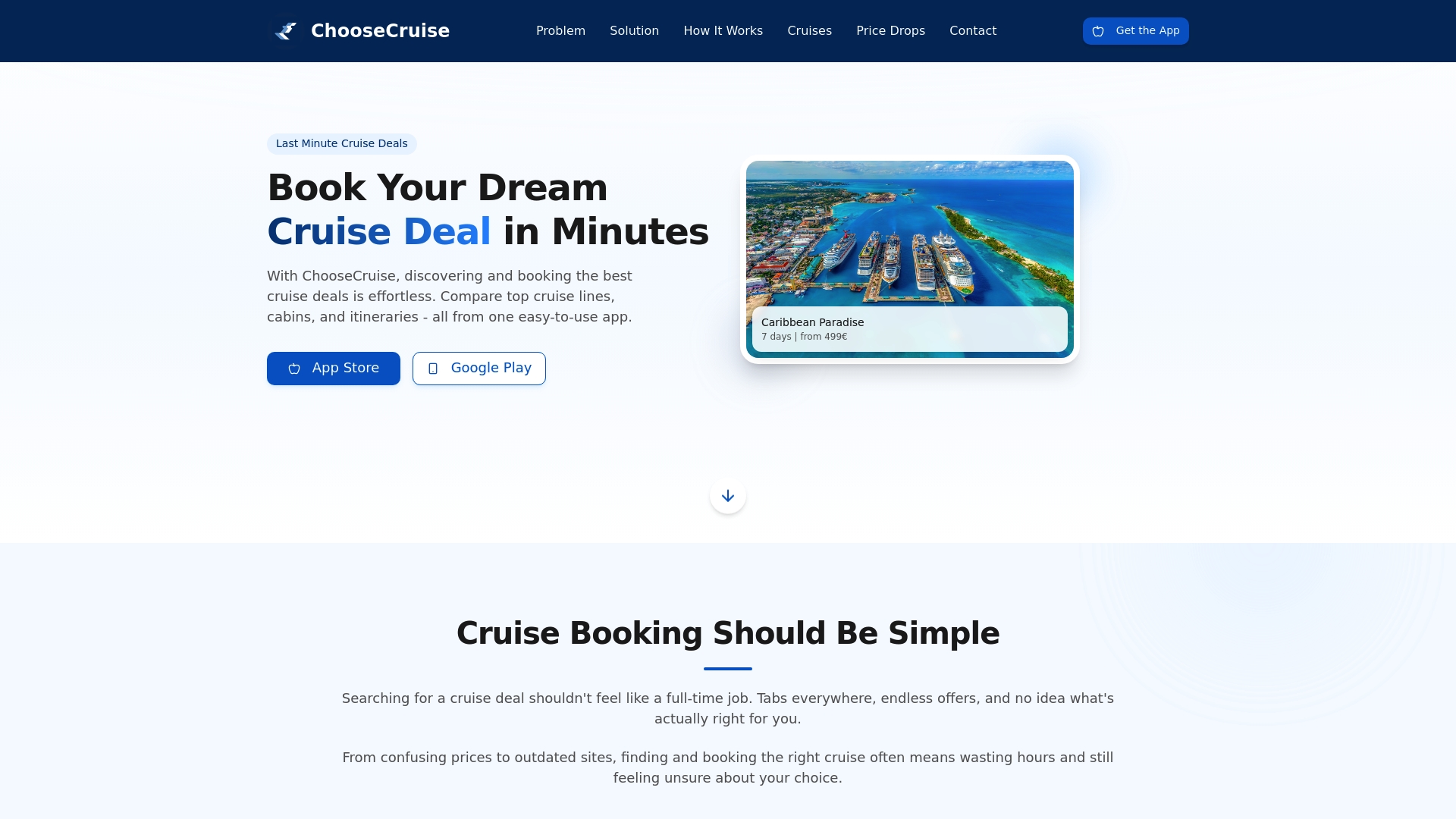
Whether you are looking at a quick weekend getaway or a longer sailing, ChooseCruise lets you compare cruise deals across hundreds of itineraries without the clutter of outdated booking sites. For travelers who want to start with something short and low-commitment, the 3-day cruise options are a practical first step. Every booking comes with the mobile-friendly tools and real-time pricing that make the process straightforward from search to boarding pass.
FAQ
What are the basic mobile cruise booking steps?
The core steps are: create an account, search and filter sailings, select your cabin and dining, pay your deposit, and complete mobile check-in 45 days before sailing. After boarding, use the cruise app to manage dining, shows, and excursions.
When does mobile check-in open for most cruises?
Most cruise lines open mobile check-in approximately 45 days before the sailing date. Completing it early gives you better boarding time slots and Express Boarding eligibility at select ports.
Is it safe to book a cruise entirely on mobile?
Booking a cruise on mobile is safe when you use a secure connection and a trusted platform like ChooseCruise. Always screenshot your confirmation immediately after payment as a record in case of technical issues.
Should I book shore excursions through the cruise app or independently?
Cruise line excursions cost 30–50% more than independent tours but include a ship-wait guarantee if the tour runs late. For complex or unfamiliar ports, the cruise app is the safer choice for first-time cruisers.
What should I do if the cruise app crashes during booking?
Force-restart your phone, close background apps, and reopen the cruise app. If the issue persists, contact guest services with a timestamped screenshot of the error to resolve the problem quickly.
Recommended
Related reading
6 Best Cruise Destinations 2026 for Smart First-Time Travelers
Discover the 6 best cruise destinations 2026 with expert tips for tech-savvy first-time travelers, including personalized advice for easier cruise booking.
Cruise Package Explained: Stress-Free Vacation Booking
Cruise package means bundled travel with accommodations, meals, entertainment, excursions. Learn the types, inclusions, pros, costs, and mistakes to avoid.
7 Smart Ways to Save on Cruises for Modern Travelers
Discover 7 smart ways to save on cruises with easy, practical tips designed for today’s digital cruise travelers. Learn to maximize value and minimize costs.